- Product

- Pricing
- Affiliate Program
- Use Cases
- Resource
 EN
EN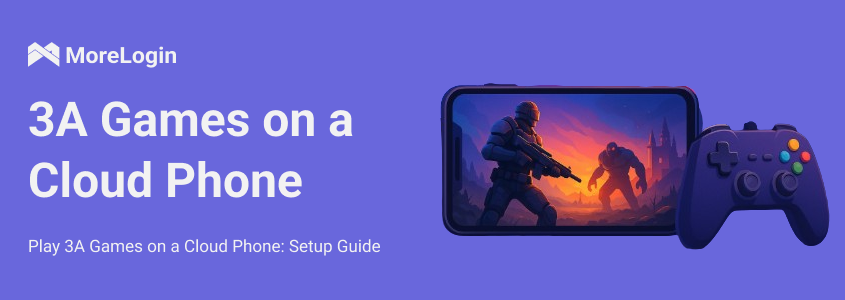
AAA games refer to titles with high investment, long development cycles, and graphics and gameplay that rival console or high-end PC standards. These games typically require expensive hardware to run smoothly. However, cloud phones are emerging as a new solution. By running AAA games on remote servers, users can enjoy a near-end hardware experience on lower-spec devices.
This article will guide you through the features of cloud phones, analyze which AAA games are suitable for running on the cloud, and explain the actual setup process using the cloud phone service provided by Morelogin.
A cloud phone is essentially a virtual Android device running on a cloud server. Users don't need to own physical hardware, but instead remotely access a stable virtual phone over the internet. The cloud phone environment is maintained by the service provider, ensuring the device is always online and supports simultaneous access from multiple devices.
This model is particularly suitable for AAA games. First, local device performance is no longer a bottleneck. Even low-end Android devices can smoothly receive video. Second, cloud phones operate 24/7, eliminating the need for players to worry about device overheating or battery loss while idle. For example, in open-world games, during extended periods of collecting or idle time, a cloud phone can keep the character online, while a physical phone doesn't have to constantly run high-load applications. Finally, cloud phones support multi-user accounts, allowing users to run multiple accounts in a single cloud environment, saving hardware costs and facilitating management.
Finally, cloud phones are the ultimate tool for AFK (Away From Keyboard) farming and multi-accounting. With Morelogin, you can effortlessly run multiple cloud phone profiles at the same time. This allows you to manage several game accounts, auto-farm resources 24/7, and bypass device bans safely without frying your local device's battery.
Not all AAA games are suitable for running on cloud phones. Here are some recommended and unrecommended categories:
Recommended AAA games:
Role-playing games (RPGs), such as Genshin Impact and Final Fantasy XV, are highly tolerant of latency.
Open-world and RPG titles like Genshin Impact, Wuthering Waves, Zenless Zone Zero, and Arknights: Endfield are highly tolerant of latency. Idle and strategy games (e.g., Teamfight Tactics, Honkai: Star Rail) are also perfect for taking advantage of the 24/7 online availability of cloud phones.
Strategy and card games, such as Hearthstone and Civilization VI (slower-paced).
Idle and long-running games: suitable for taking advantage of cloud phones' 24/7 online availability.
Unrecommended AAA games:
First-person shooters (FPSs), such as Call of Duty and PUBG, are very sensitive to latency.
Fighting and music games, such as Tekken and Osu!, require extremely low latency and high frame rates.
In general, suitable AAA cloud games are those that require high-quality graphics but not extreme demands for immediate responsiveness.
Pure Native Android Environment: Avoids emulator detection bans.
Massive Multi-instance Support: Run 10+ game accounts simultaneously for resource farming.
Bank-grade Anti-detect Tech: Keeps your primary gaming accounts 100% safe from suspension.
The following uses Morelogin Cloud Phone as an example to demonstrate the complete steps from registration to running AAA games.
Visit the Morelogin Cloud Phone official website and click Register. You'll be asked to link your email or phone number and set a password. After registration, you'll be directed to the console, which is the central management hub for all Cloud Phone instances.
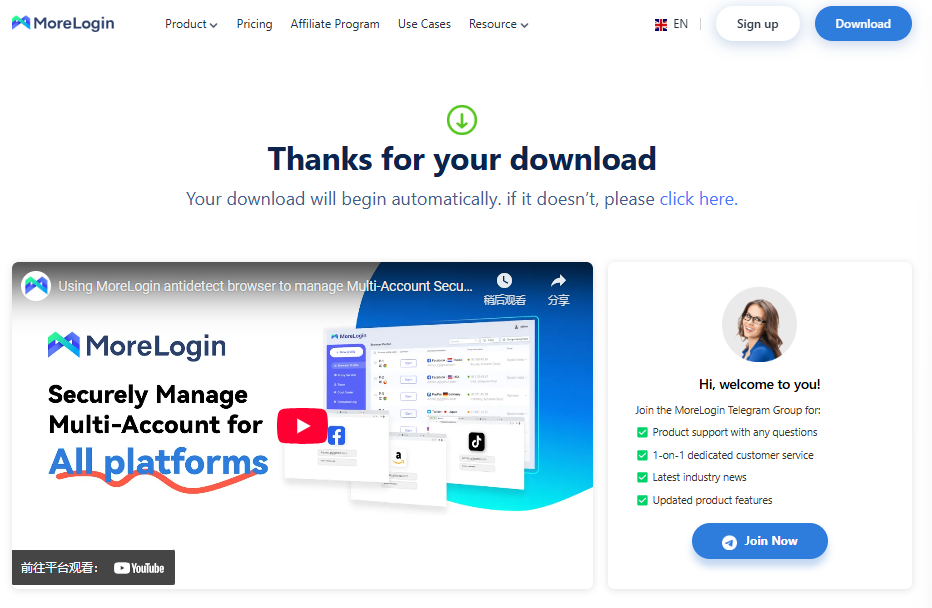
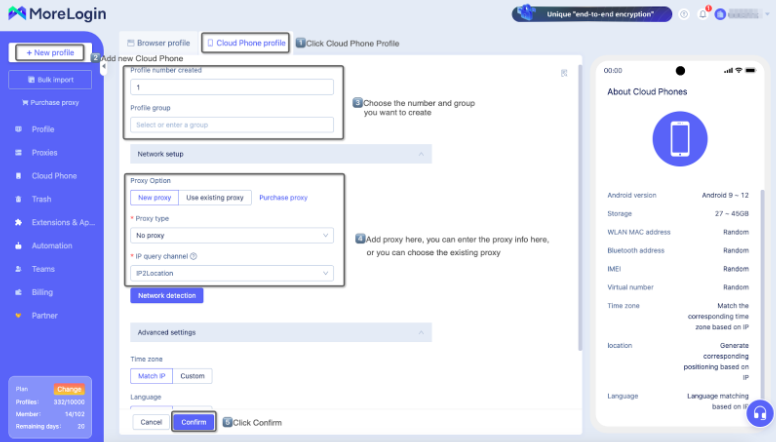
On the MoreLogin interface, click the New Profile button in the left-hand menu. In the pop-up options, first select Cloud Phone Profile, then click Advanced Creation to enter the advanced setup interface for cloud phones.
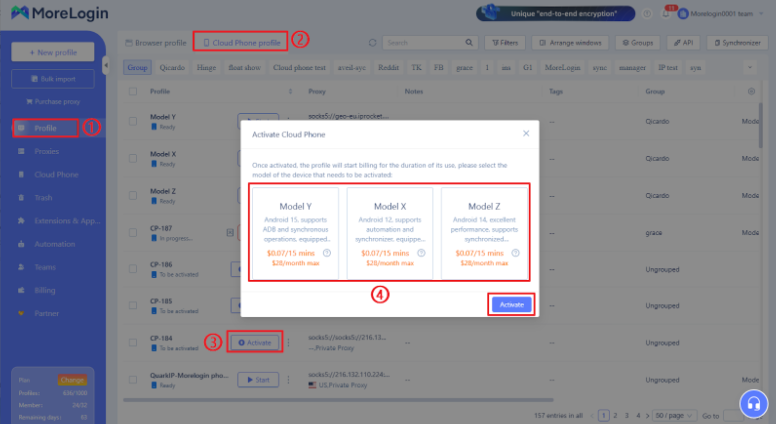
Go to the cloud phone list page, click Activate, and select the type of cloud phone to activate. Once activated, the cloud phone will start charging during usage, and charging will stop when it is turned off.
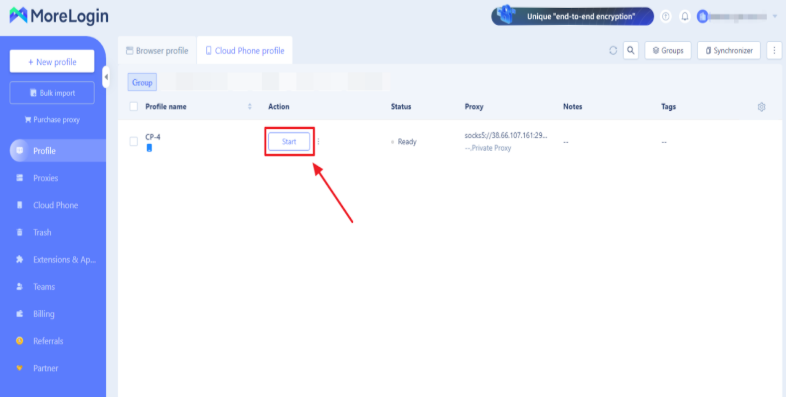
After activating the cloud phone, you will be automatically returned to your profile list page. Click Start to launch the cloud phone.
Download the app in the application market, click on the lower right corner of the application market, search for the name of the App, and then click on install. The installation will be completed automatically, and then open the cloud phone to use.
Although cloud phones have greatly lowered the barrier to entry for running AAA games, practical issues may still arise.
The most common issue is game screen lag. This is often caused by under-specified cloud phone instances or unstable local networks. The solution is to upgrade to higher-spec instances or switch to nodes with lower latency. Lowering the game's graphics quality can also alleviate lag to some extent.
Another issue is noticeable operational lag. Many users have reported experiencing a disconnect between input and the screen in action-packed AAA cloud games. First, ensure your local network is high-speed. 5G mobile networks or fiber-optic Wi-Fi can significantly improve latency. If using an external controller, it's recommended to optimize the official drivers to avoid compatibility-related lag.
Some players may experience issues with certain PC games failing to launch. This is often due to platform incompatibility or insufficient permissions. In this case, you can try casting the game to your cloud phone using Steam Remote Play or directly switching to the PC cloud gaming platform to circumvent restrictions.
Some players worry about the risk of account suspension. Some games detect their operating environment and may trigger an exception if they identify a cloud device or emulator. The key to avoiding this risk is to avoid modifying the game process and prioritize using officially supported input and control methods to maximize account security.
The emergence of cloud phones has enabled more users to enjoy AAA games even with limited hardware. With Morelogin Cloud Phone, setup is quick and easy. Just register, purchase the service, connect remotely, and install games in four steps, for an experience close to that of high-end devices.
If you're looking for a stable and efficient way to experience the top-tier entertainment represented by what is a AAA game, we recommend trying Morelogin Cloud Phone. It will help you cross the hardware threshold and easily enter the world of AAA games.
 EN
EN