- Product

- Pricing
- Affiliate Program
- Use Cases
- Resource
 EN
EN
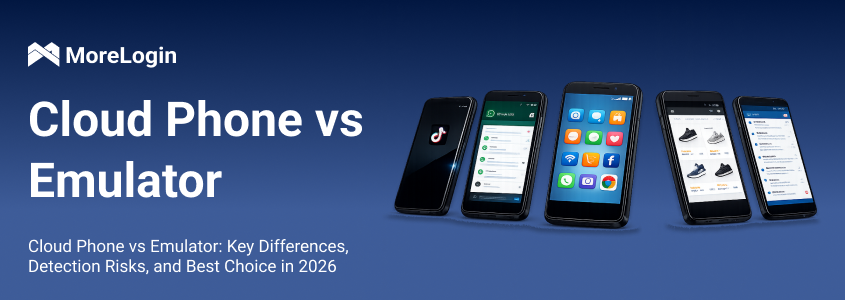
When performing automated testing, ad placement, account nurturing, web scraping, or running scripts, you might encounter a question: Is Cloud Phone better, or is an Android Emulator more suitable? Their underlying principles, operating methods, costs, and user experiences differ significantly.
This article will provide a detailed comparison of the working mechanisms, advantages, disadvantages, and typical use cases of these two solutions, helping you make the most appropriate choice based on your actual needs.
An Android emulator, as the name suggests, simulates an Android system environment on your computer. You can think of it as a fake phone running on your computer. It can install apps, operate the system, take screenshots, and run repetitive tasks with scripts. Common emulators include LDPlayer, NoxPlayer, BlueStacks, MuMu, and the emulator included with Android Studio.
For individual users or developers, emulators are very convenient. Simply download and install them, and you can run multiple instances, debug, and perform batch operations on a single computer.
Free/Low Cost: Most emulators are free to use, and even those that are paid are either one-time payments or very inexpensive.
Flexible Setup, Suitable for Scripting and Debugging: Whether writing automation scripts or doing software testing, emulators support various configurations (resolution, system version, root access), offering high versatility.
Convenient Multi-Instance Operation: A high-spec computer can run dozens of emulator windows simultaneously, ideal for scenarios with multiple accounts.
Fast Running Speed (Depending on Computer): Runs smoothly on a well-configured computer, with fast click response and smooth drag-and-drop typing.
Easily Identified as a Virtual Environment: Major platforms' risk control systems have long been monitoring emulators. Many apps will directly detect a virtual environment and restrict functionality or ban your account.
High Local Resource Consumption: Running multiple emulator instances consumes a lot of memory and CPU, especially on low-spec computers, causing significant lag.
Lack of Support for Real Device Features: Features like GPS spoofing, camera access, and call simulation can only be simulated through plugins, resulting in lower accuracy and stability compared to real devices.
Some Apps/Games May Not Run: Especially some encrypted or strictly controlled apps may crash or refuse to run in an emulator environment.
Automated Testing / Application Debugging: Developers frequently use emulators to test their apps, offering fast debugging and minimizing the risk of errors.
Running Scripts / Rapid Iteration Tasks: Emulators work well with Auto.js or other scripting tools for tasks such as automating likes, web browsing, and simulated clicks.
Game Amateur Development: Many people use emulators to run idle games on their computers, as they are power-efficient and stable.
Low-Cost Account Management: If you're only doing test runs and don't care much about risk control or account bans, emulators can run a large number of accounts at a low cost.
Simply put, a Cloud Phone is a real Android phone hosted in the cloud. It's not an emulator or a virtual machine; it's a series of real phones placed in a server room by a service provider, which you remotely control via the network. What you see is actually the real-time screen of that phone; your clicks, swipes, and inputs are transmitted back to the phone. It feels like remotely controlling a physical phone, but without consuming your local resources.
Real Device Environment, Less Likely to Get Banned: Because cloud phones are based on physical devices, they are not as easily recognized as emulators.
No Local Resource Consumption, Ideal for Batch Tasks: Whether you're using scripts to automatically generate comments or running dozens of accounts, cloud phones are hosted in the cloud, without burdening your computer.
Supports Multiple Functions, Such as Location, Camera, and File Upload: Some cloud phones can even modify GPS location, upload local files, and even simulate calls, making them more suitable for projects requiring advanced features.
Batch Management and One-Click Switching: Many service providers offer batch power on/off and simultaneous script execution across multiple devices, ideal for team or project operations.
Expensive: Most are billed hourly or monthly, and running dozens of devices can easily cost thousands of yuan per month.
Strong Network Dependence and Latency: Operation relies on remote connections; poor network conditions can cause latency and lag, affecting the user experience, making typing and swiping unsmooth.
Less Smooth Operation Compared to Local: No matter how optimized, it's still remote operation, and the feel isn't as smooth as using your physical phone.
Multi-Account Management: For example, in e-commerce, social media platforms, and content sites, running multiple accounts for posting content, liking, and interacting provides high stability with cloud phones.
Platforms with Strict Risk Control: For platforms like TikTok, Facebook, and Telegram, which are prone to device bans, emulators are too risky. Cloud phones are safer.
Automatic Operations: For tasks like boosting views, automatically grabbing orders, and scheduled content posting, cloud phones are online 24/7 in the cloud, unaffected by power outages.
Team Management: For multiple people operating multiple accounts, allocating cloud phones is more convenient than issuing physical phones, and it supports permission management and data synchronization.
It really depends on what you want to do. There's no absolute "better" or "worse," only what's more suitable.
If you're a developer/technical person: If you need easy debugging, scripting, and testing, then an emulator is sufficient. It's easy to install, free, and allows for various configuration changes. It's perfect for running automation, clicking buttons, and testing APIs. However, be aware that emulators are not suitable for deploying to live projects or running high-risk control platforms, as they are prone to being banned.
If you're managing accounts, operations, e-commerce, or account nurturing, I strongly recommend using Cloud Phone, especially stable cloud phone service providers like MoreLogin. Why? Because these platforms detect whether your device is fake, and emulators are too easily exposed. MoreLogin's cloud phones are real devices with authentic fingerprints, resulting in a lower probability of account bans. They also offer batch management, environment settings, IP changes, and scheduled scripts—all packaged up for you, saving you time and ensuring stability.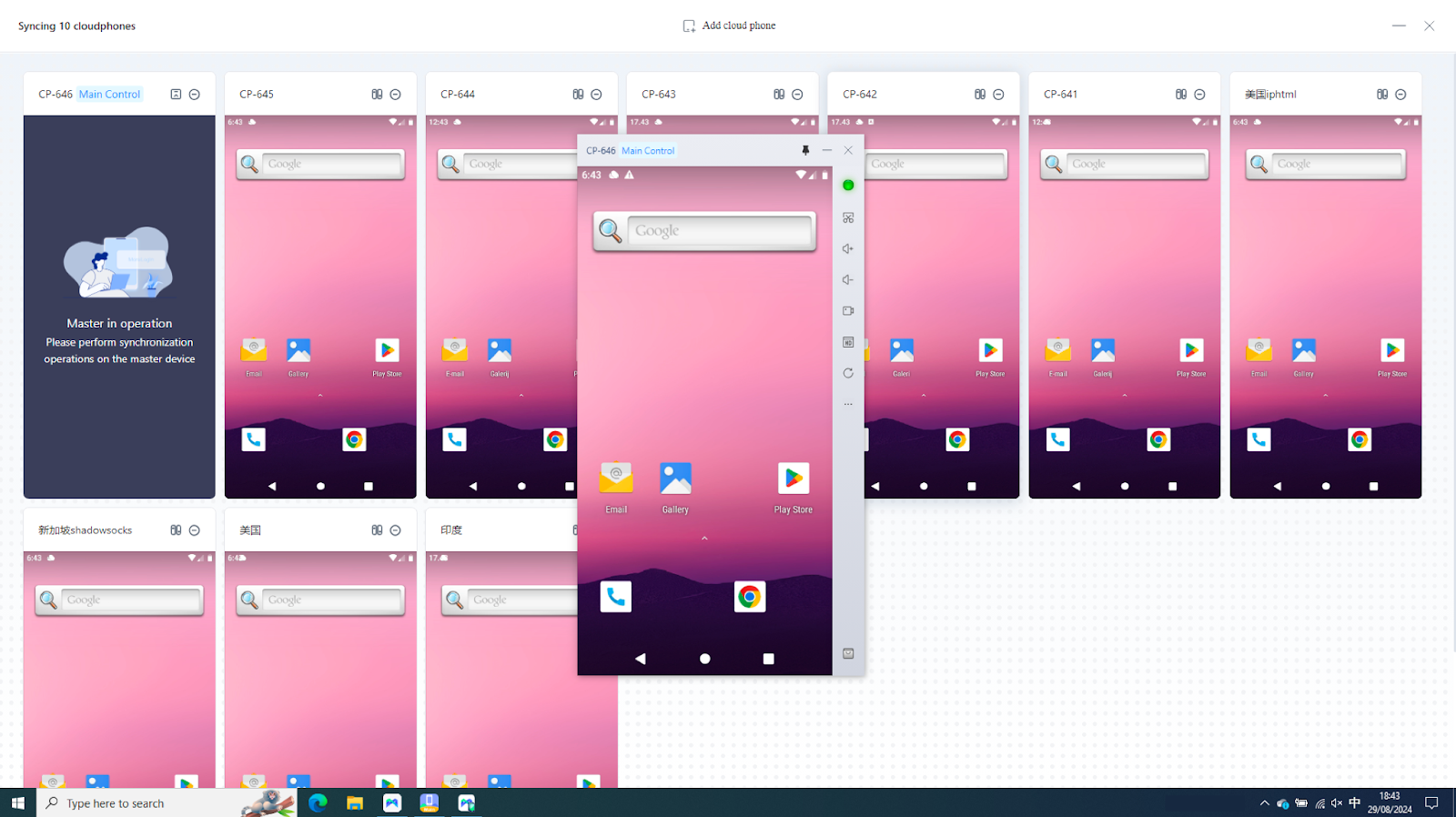
Whether you're running scripts, conducting tests, managing multiple accounts, or distributing content, Cloud Phone and Android emulators each have their advantages and disadvantages. Emulators are free, flexible, and easy to use, but they are easily detected and have high risk control, making them unsuitable for long-term projects or platforms sensitive to account bans. Cloud phones like MoreLogin, while having costs, offer a real-device environment that is stable, secure, and hassle-free, making them particularly suitable for those doing operations, traffic generation, and account nurturing.
If you have a limited budget and an acceptable risk, use an emulator. For stable earnings and prioritizing account security, cloud phones are a more reliable solution.
 EN
EN